

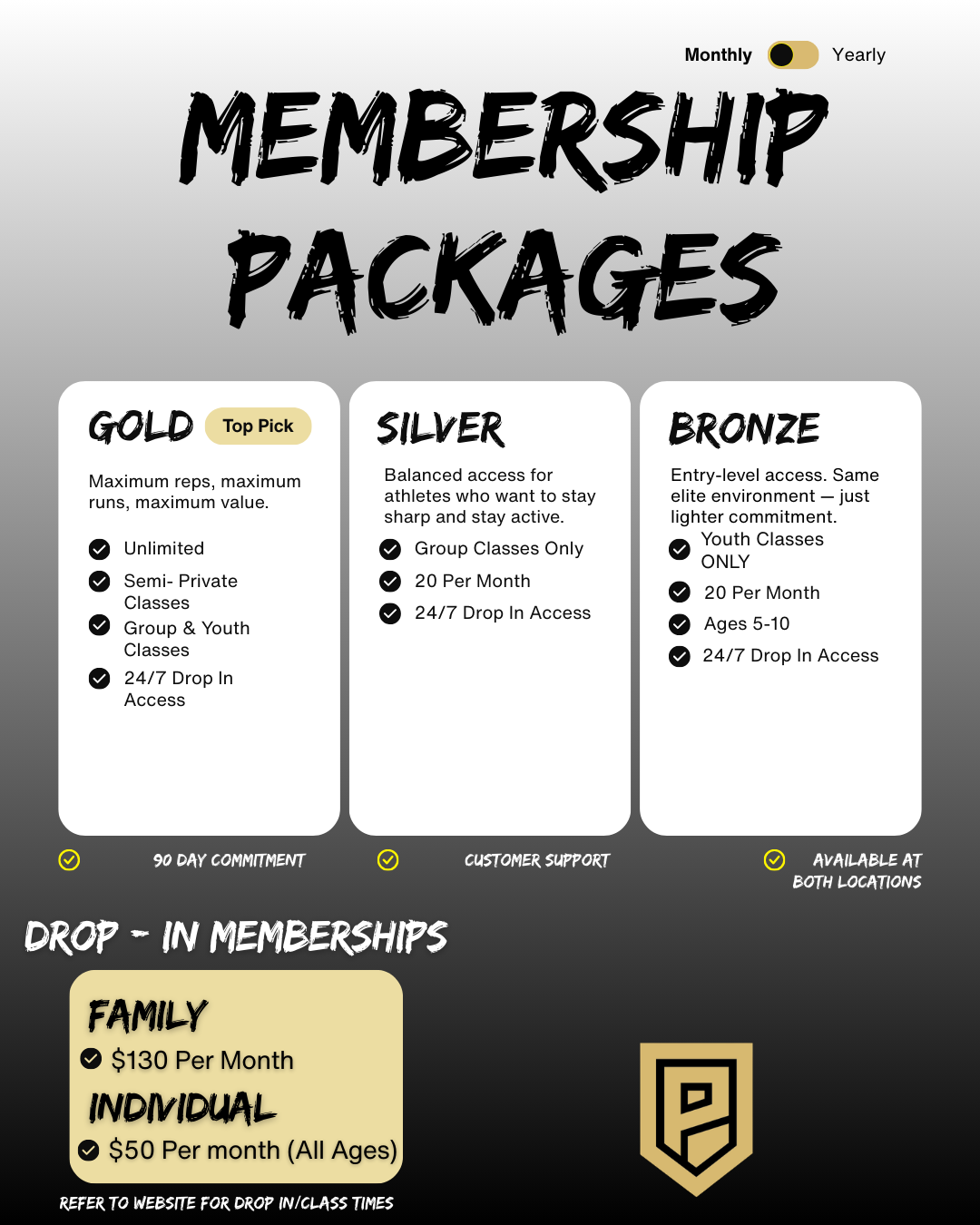
ALL OF OUR MEMBERSHIPS PROVIDE YOU WITH 24/7 ACCESS TO BOTH OF OUR FACILITIES VIA A PHYSICAL FOB OR THE GYMMASTER MEMBER APP.
OUR BRONZE, SILVER, & GOLD MEMBERSHIPS ALLOW YOU TO BOOK INTO CLASSES AT EITHER FACILITY.
OUR DROP-IN MEMBERSHIPS DO NOT INCLUDE CLASSES.
NEW Summer Promo Membership!
A discounted version of the Gold Membership for a limited time only! Click the button below to sign up now!
HOW TO USE YOUR MEMBERSHIP
After you have downloaded the GymMaster Member app, you will be able to use your new membership!
All of our memberships can be shared between family members EXCEPT for the individual drop-in membership.
To add a family member as a linked member on your account, you can send us an email to info@prolificsportshouse.com with their first and last name, and we will add them to your account for you!
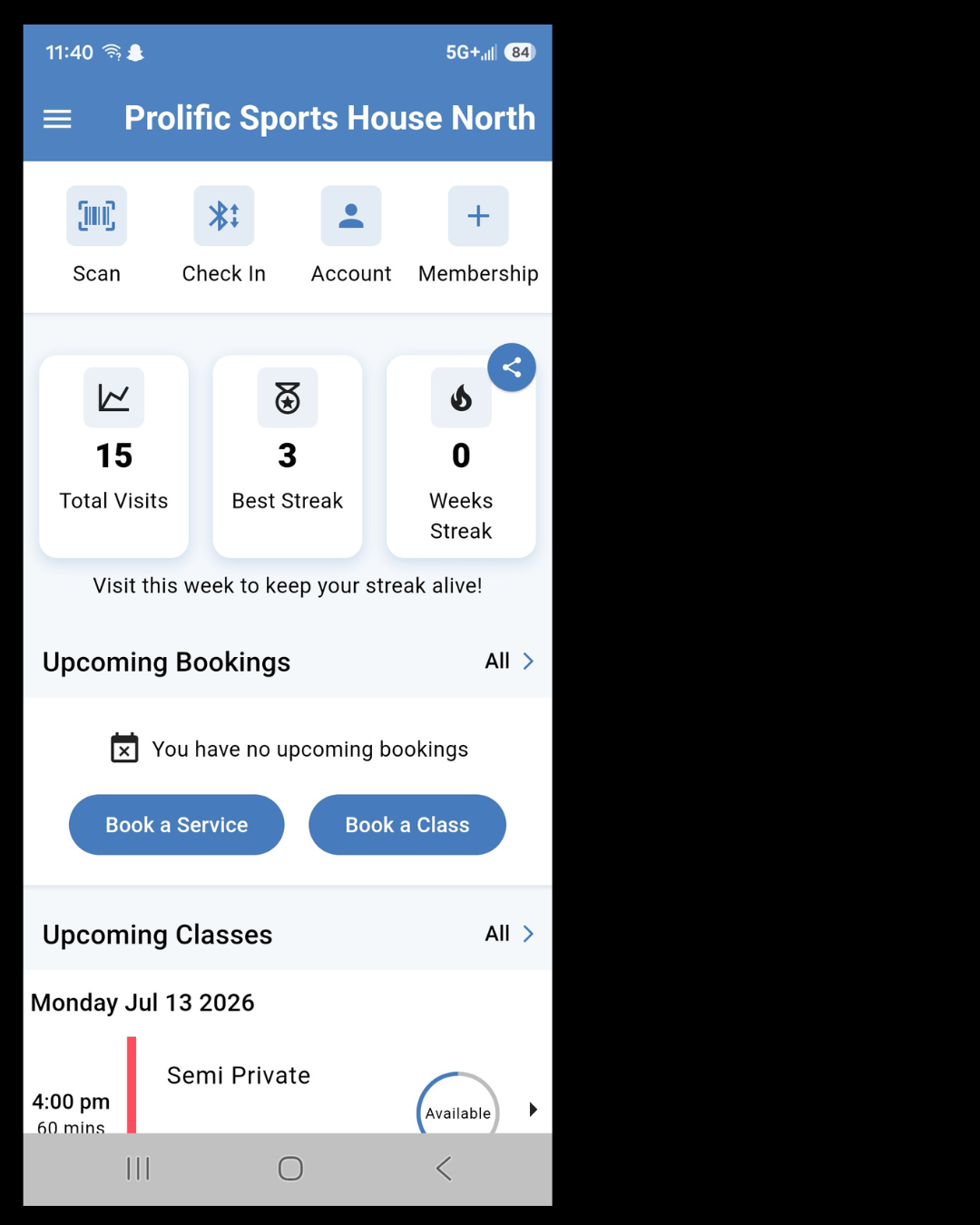
You can open the door by using the following steps:
- Make sure the Bluetooth on your phone is on
- Stand near the door of the facility you want to enter
- Log in to your GymMaster Member App
- Press the button that says “Check In” with the Bluetooth symbol
The only time following these steps will not open the door is if someone has accidentally set the door to be fully locked.
You can add a membership or package by clicking the button that says “Membership” with the plus symbol (+).
You can book a class by clicking on “Book a Class”.
You can book a Gym Rental by clicking on “Book a Service”.
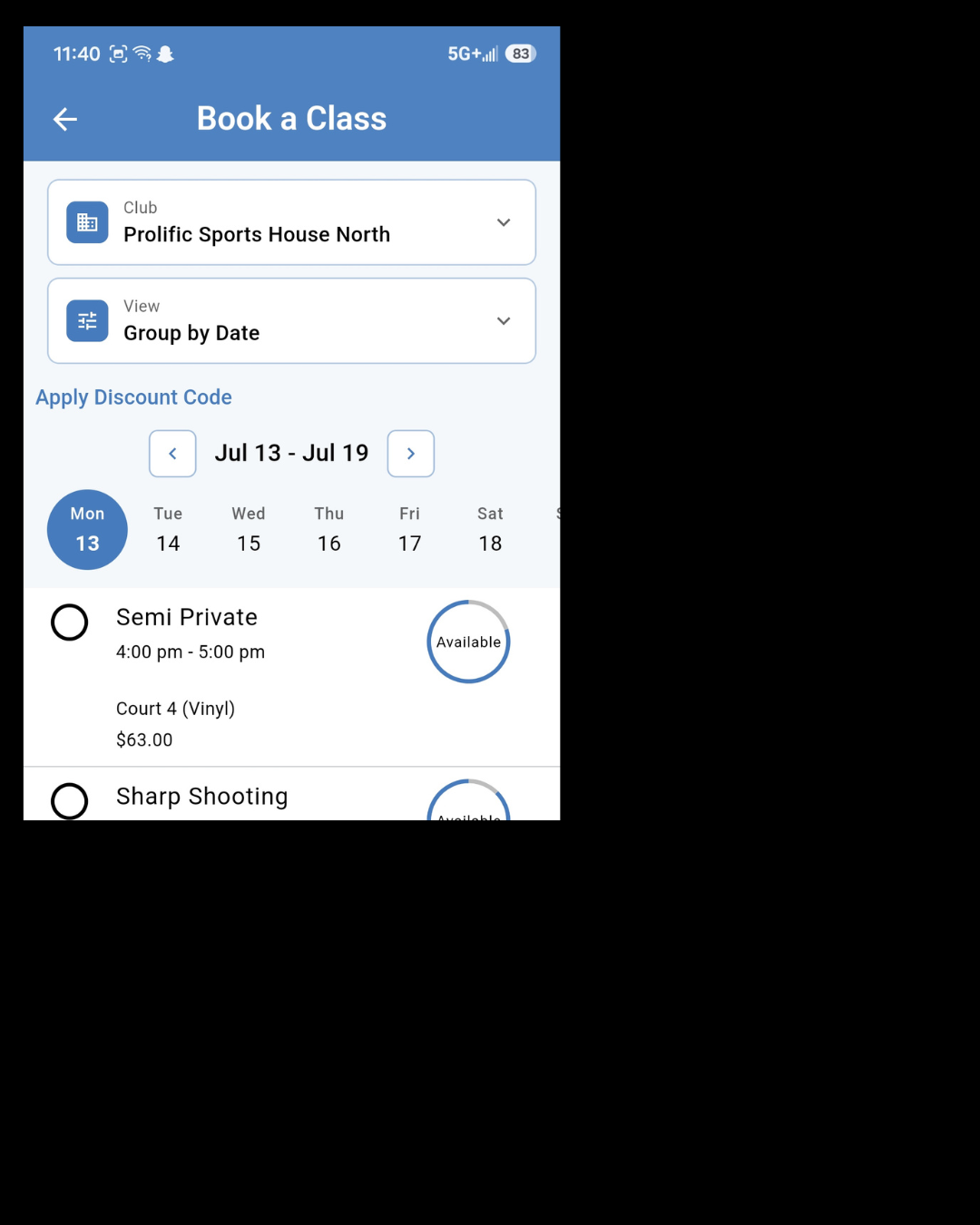
When you go to book a class or a rental, make sure you are booking at your desired location by clicking on the dropdown arrow under Club.
In this photo example, the dropdown arrow is next to Prolific Sports House North. If you wanted to book at the South, you would need to click on the arrow and select Prolific Sports House South.
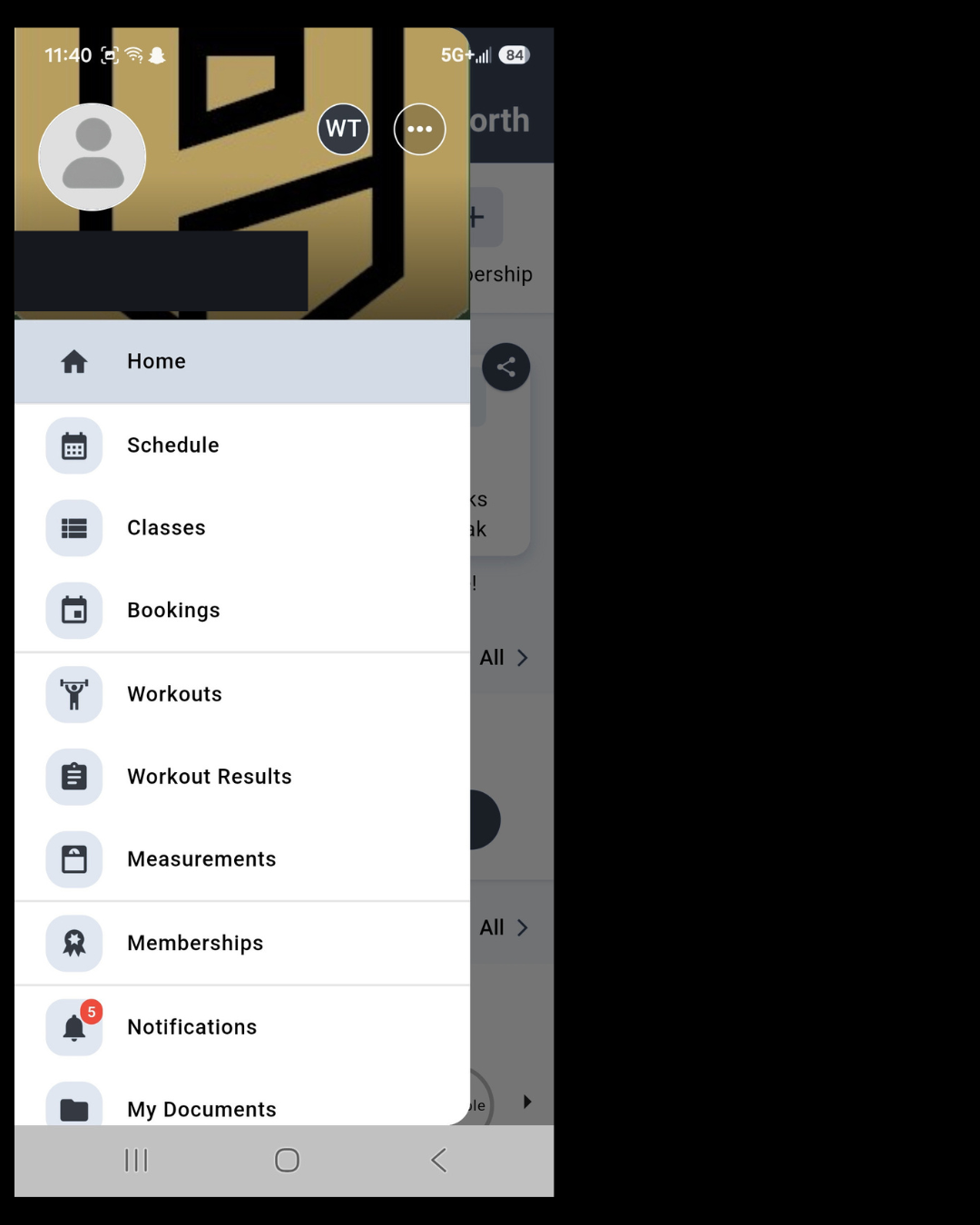
You can switch between linked accounts by:
- Clicking on the 3 lines at the top left of the home page
- Clicking on the initials of the linked family member. In the example photo, this would be the WT.
- Wait a moment, and the name under the silhouette picture (where the black rectangle is) will change from your name (or the name of the person who logged in) to the name of the linked member.
You will now be able to sign up for classes as the linked member instead of yourself. (Ex: as your child instead of as the parent.)
W